
How to find out which release is used?
Check the server, client and database version. To do so,
-
start the client and log-on.
-
CTRL + B. The System Information module, which contains the exact specifications of your client, server, and database version, is opened.
What to do when a new Java version is installed on the server on which the PLANTA Server runs?
From version PLANTA Server 39.5.19, no further action is required here, since the PLANTA Server runs on its own Zulu-Java version, regardless of the version installed on the server.
In older PLANTA Servers, the PLANTA Service must be uninstalled once and then be reinstalled. To do so, please stop the service first via PLANTA Server Service (PLANTA Service) directory (Caution: This will terminate ALL existing sessions!), then uninstall, reinstall, and subsequently restart the server.
In 39.5.18 releases, you should only adjust the JAVA_VERSION variable in the <PLANTA Server directory>/launch.bat file accordingly if you want to switch to a new Java release (e.g. from Java 1.7 to 1.8).
What do these ... no version information available (required by ./planta_server) messages mean that are displayed when PLANTA project is started?
If you receive the following or a similar message when starting PLANTA, this indicates that you are using the SAP libs delivered by PLANTA. In case you do not use SAP-RFC interfaces, inoperable surrogate libraries that mask possibly installed original libraries are included in the current server packet. If you do not use an RFC interface (BAPI), this message is not relevant.
./planta_server: ./libsapucum.so: no version information available (required by ./planta_server)
./planta_server: ./libsapnwrfc.so: no version information available (required by ./planta_server)
When you use the RFC-functionality (BAPI), please read the following notes:
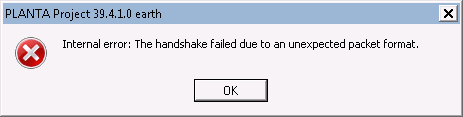
When starting, the error message Internal error: The handshake failed due to an unexpected packet format. is displayed. What does this mean?
If this error message is displayed when starting the client, encryption is activated for the client (encrypted = yes), while the server is not.
Example
When starting the service or program, the The service "XXX" on "YYY" could not be started. error message is displayed. …
On Windows servers, a current version of the x86 Microsoft Visual C++ 2005 SP1 runtime environment is required. If it is not installed, the following error message is displayed:

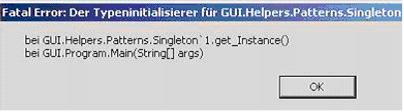
When starting, the Fatal Error: The type initializer... What does this mean?
If you see the below error message when starting the client, the correct .Net version is not installed. It is one of the requirements for the operation of PLANTA project. Further Requirements
Example
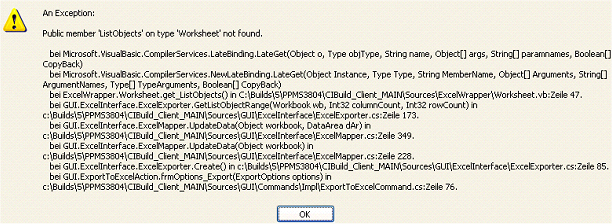
When trying to export to Excel, the Public member 'ListObjects' on type 'Worksheet' not found. error message is displayed. Why is that?
If you see the below error message when trying to export to Excel, this means that the installed Office version is not supported. System requirements for PLANTA project can be found here.
Example
How can I generate an unencrypted password from an encrypted hash-password?
For information on this subject please refer to the description of the Users administration module here...
What's the best way to import or export a database?
For further information, see Database Export/Import
Why is the login of a user rejected?
There are two possible reasons for this: You have either exceeded the absolute or the user-specific login limit of a system.
Details
-
Absolute limit: Only a limited number of sessions can connect to the server at the same time. The maximum number can be set via the
parallel_sessionsparameter in the globals.conf. If you exceed this number and try to start a new client, the following message is displayed and the client is closed again: The new session is denied, since the maximum number of simultaneously opened sessions has been reached. For further information on this, see: https://help.planta.de/tec/latest/en/faq-technology-7874244.html -
User-specific limit: Via the Parallel sessions parameter in the Users module you can set the number of clients to which each user can connect simultaneously. If you exceed this number and try to start a new client, the following message is displayed and the client is closed again: The maximum number of opened sessions has already been reached. Before logging in again, the available clients of this user must be closed. For further information on this, see: https://help.planta.de/tec/latest/en/faq-technology-7874244.html
What does the java.lang:OutOfMemoryError: … message mean?
There is not enough storage available for the PLANTA software. You can check and adjust the amount of storage available to the PLANTA software:
-
in the configuration of the manager container of the server: the corresponding environment variables define the storage available, provided that they are not commented out.
maintain__mem_limit__max_size = 8192
maintain__mem_limit__session = 512
maintain__mem_limit__calculation = 256
maintain__mem_limit__module = 256
maintain__mem_limit__recalculation = 2048
or
JAVA_INIT=-Xms256m
JAVA_MAX=-Xmx768m
See also: Server Parameters
What does the "WARN session=global c.m.v.a.ThreadPoolAsynchronousRunner -... message mean?
...com.mchange.v2.async.ThreadPoolAsynchronousRunner$DeadlockDetector@42f4d2d8 -- APPARENT DEADLOCK!!! Creating emergency threads for unassigned pending tasks!"
This alert indicates that the establishment of a connection to the database takes too long. This can be caused on Linux systems by an empty entropy pool, which can be resolved by launching mgd or by linking /dev/random auf /dev/urandom.
What does the "Caused by: com.mchange.v2.resourcepool.TimeoutException:... message mean?
...A client timed out while waiting to acquire a resource from com.mchange.v2.resourcepool.BasicResourcePool @77e2a6e2 -- timeout at awaitAvailable()"
Reason: see the description of the previous message