
Information
-
Using the Calendar Control function you can customize special date listboxes (calendar listboxes) for date data fields.
-
General information on date listboxes with calendar function and its use, please click here.
Procedure
-
Open the required data area in the Data Areas module.
-
For the required date field
-
Select DF behavior = cc.
-
The Do you want to copy in the template for the cc data field? message is displayed.
-
Yes:
-
Three types of templates are offered for selection.
-
Select the required template.
-
The selected template is automatically copied to the Data field configuration field.
-
Parameters can be adapted in the Data field configuration field afterwards, if necessary.
-
-
No:
-
Open the tree structure of the data field and define the following parameters in the Data field configuration field.
-
-
-
|
Parameter |
Description |
Permitted values |
Not permitted values |
|---|---|---|---|
|
def_start_date |
Default start date |
|
|
|
start_date |
Start date |
|
|
|
def_end_date |
Default end date |
|
|
|
end_date |
End date |
|
|
|
def_calendar |
Default calendar ID |
|
|
|
calendar |
Calender ID |
|
|
|
def_selection_mode |
Default selection mode |
|
|
|
selection_mode |
Selection mode |
|
|
|
xaml |
XML document with a root element containing XAML settings for calendar control. |
|
|
Details
-
Each parameter is entered in a new line.
-
Structure schema: param_name=value
-
For default parameters, the entered value applies to the entire column.
-
For non-default parameters, the entered value only applies for the corresponding record.
-
If both non-default and default parameters are entered, the non-default parameters overwrite the default parameters.
-
-
All customizing settings are saved in a string: "attr1=Wert1;attr2=Wert2;..."
-
If you use variables for the values and add or subtract certain day figures, you have to make sure that before and after operations no white spaces are entered.
-
E.g. the entry "@D123 + 10" is interpreted as "@D123" since the entry is followed by a whitespace in the first case.
-
-
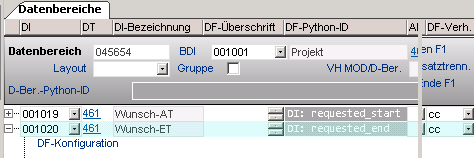
DI/DF Python IDs cannot be combined with other values.
-
E.g. "end_date=requested_end+10" is not supported while "end_date=requested_end" is supported.
-
Example
def_start_date = 01.01.1970
def_end_date = 31.12.2099
calendar= @G150

xaml = <StackPanel
    xmlns="http://schemas.microsoft.com/winfx/2006/xaml/presentation"
    xmlns:x="http://schemas.microsoft.com/winfx/2006/xaml">
    <toolkit:Calendar xmlns:toolkit="clr-namespace:Microsoft.Windows.Controls;assembly=WPFToolkit"
    Name="Calendar"
    Margin ="0,-3,0,-2">
    </toolkit:Calendar>
  </StackPanel>
Details
-
For the complete Calendar Control documentation, see: http://msdn.microsoft.com/en-us/library/system.windows.controls.calendar(VS.100).aspx
Set input only via listbox
Information
-
As in the case of regular listboxes, when embedding date listboxes in a module, the customizer can use the Input only via listbox parameter to define for date listboxes that only data from the listbox can be taken.