Information
Sidebar in the Boards Panel
Information
-
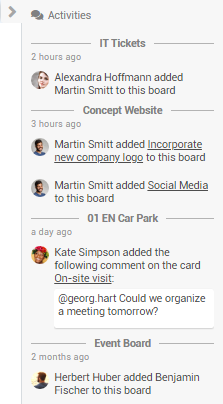
In the Boards panel, the sidebar contains the newest activities on all boards of which the user is a member.
-
It contains information on who added
-
new members and
-
new cards or comments.
-
-
By clicking the card title in an activity, the card can be opened.
-
By default, the sidebar is collapsed. It can be expanded/collapsed by clicking or .
-
Example
Sidebar on the Individual Boards
Information
-
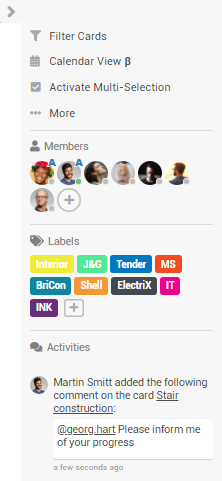
The sidebar is displayed at the right side of the board and contains:
-
Options for filtering/multi-selection of cards and settings for the board view
-
The board menu, which can be opened via the ... More menu item and which also opens within the sidebar
-
Information on the members, labels and activities of the board
-
-
By default, the sidebar is collapsed. It can be expanded/collapsed by clicking
or
.
-
Via the User Settings → Board Settings , users can configure whether the sidebar should be open or hidden by default.
-
Example