Information
-
On boards, cards are displayed as preview with their most important details and can be sorted using Lists and Swimlanes.
-
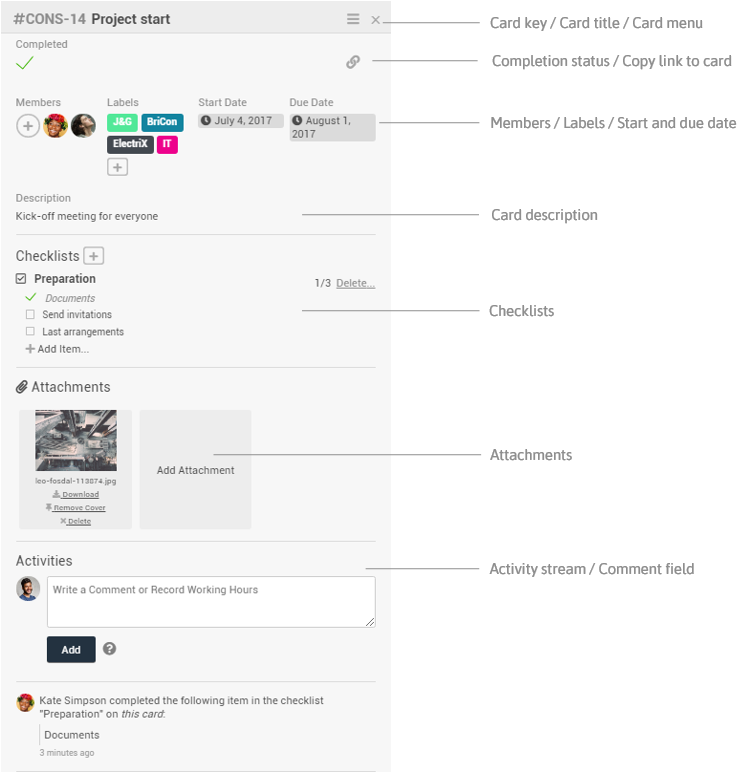
By clicking on the card, the detail view of the card can be opened.
Example of the preview of a card
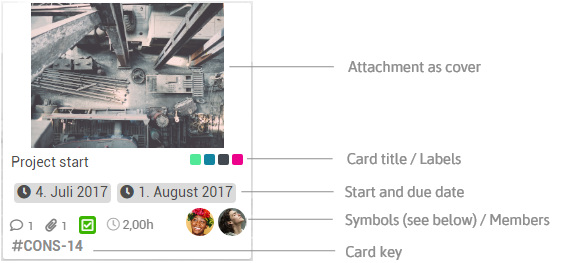


Number of comments
Number of attachments
Completion status of checklists
Card contains a description
Card is completed
Hours worked recorded on the card
Example of the detail view of a card