Information
-
In PLANTA pulse, texts can be formatted in various places:
-
In card titles and descriptions
-
In custom fields of the Text type
-
In comments
-
In the detailed description of projects
-
-
The user has two options to do so:
-
A WYSIWYG (what you see is what you get) editor or
-
A Markdown editor
-
-
Users can define in their User Settings → General which editor is to be used by default.
-
In the lower right of text fields, users can switch between Markdown and WYSIWYG.
WYSIWYG
Details
-
In the WYSIWYG (What you see is what you get) editor, the various formatting options can be selected in the symbol bar at the top and applied to the required text passages.
Markdown
Details
-
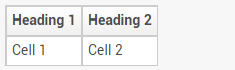
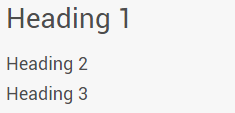
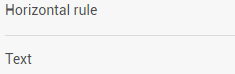
The following table shows some of the most important formatting options of the Markdown editor in PLANTA pulse:
|
Type |
Formatting |
Result |
|---|---|---|
|
Headings |
|
|
|
Italics |
|

|
|
Bold |
|

|
|
Underline |
|

|
|
Strike through |
|
|
|
Quote |
|

|
|
Mention users |
|

|
|
List |
|
|
|
Horizontal rule |
|
|
|
Table |
|
|
|
Code |
|


|
|
Link with display text |
|

|