Access
-
PLANTA link
role → Interface Configuration → Configuration and Execution panel → Configuration → Edit parameters button on a mapping element → Mapping Parameters
-
If the mapping element has no parameters, the No parameters available message is displayed in the status line and the Mapping Parameters module will not be opened.
-
Information
-
The module enables the parameterization of the mapping elements that contain specific functions.
-
Mapping elements of the Source, Pool, or Target type cannot be parameterized.
-
-
Via the link on the mapping function name, the description of this function can be opened in the Online Help under Mapping Functions.
Relative parameters
-
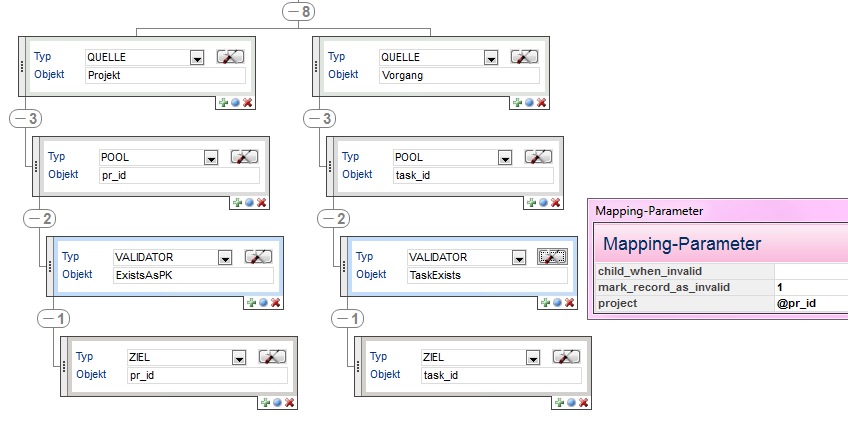
Instead of entering a fixed value, the result of another column may as well be referenced.
-
For this purpose, the value from the Object field of the target mapping, which is to be used as parameter, must be entered with prefixed @ signs.
-
If the "@" value is to be used explicitly, the value must be escaped with a prefixed backslash: "\@"
-
Example
-
The TaskExists validator requires a project ID to check whether the transferred task ID does exist in this project.