
For information
Information and Notes
-
PLANTA provides a transfer server for file exchange.
-
Base of the PLANTA transfer server is an ownCloud installation hosted by PLANTA.
-
Although all data is transferred encrypted, we recommend that you use additional protection (e.g. encrypting the files with a password).
Caution
-
We expressly point out that any data on this server is not subject to a special security policy. All connections and transfers to this server are logged.
-
By using this server you agree to the ownCloud terms of use.
Login
Procedure
-
Go to https://transfer.planta.de
-
Enter a user name and a password (the password is communicated to you by PLANTA)
-
Please change the password after your first login.
Upload Files (Upload)
Procedure
-
After login, navigate to the required directory ( \download)
-
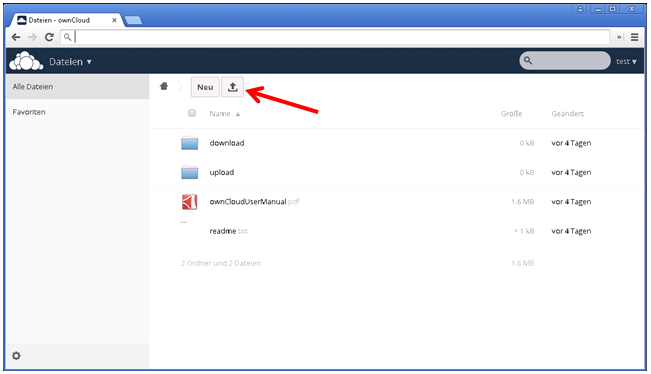
In order to upload data, click on the arrow button.
-
Select file → Open
-
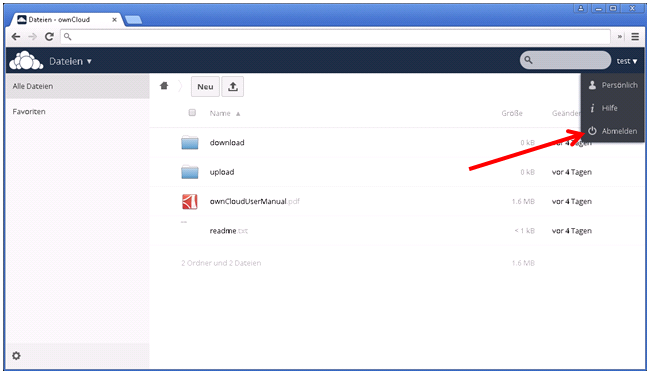
Log out
Download Files (Download)
Procedure
-
After login, navigate to the required directory ( \download)
-
Click on the file you want to download
-
Log out