
Access
-
Customizer → Migration → Migration Packets panel → Click on the link on the migration packet name in the respective migration packets module
For information
-
This module is a kind of data sheet of the respective migration packet and provides the following options:
-
Results of the migration runs can be checked
-
A migration packet can be run (again).
-
A migration packet can be marked as completed
-
Via the link on the Logfile field, the logfile of a run can be opened
-
Description
Information
-
The Description field contains
-
a description of the changes that the migration packet carries out.
-
(possibly) notes, if the migration packet no longer exists in the specified directory but is still available in the database.
-
Packet Parameter
This area contains the following information:
-
Python path: path under which the migration packet can be found in the file system
-
Comment: Optional comments
-
At system start: Setting which defines whether the migration packet is to be executed upon system start.
-
Completed: Setting which defines whether the migration packet is to be marked as completed. You can save this manually.
Dependencies
For information
-
Relevant from DB shows the minimum database version required for carrying out this migration packet.
-
up to DB shows the maximum database version required for carrying out this migration packet.
-
Current DB version shows the database changeset which is used in the system.
-
A migration packet can only be run if the data base changeset used lies between Minimum database version and Maximum database version.
-
If this is not the case, the migration packet will be classified as not relevant and will be displayed in the Irrelevant Packets module.
-
The frame color of the fields indicates whether the dependencies are satisfied (green frame) or not satisfied (red frame).
-
-
Database management system shows whether the packet is dependent on a database management system.
-
In the Packet dependencies subarea, packets (with the
expected status
) are listed, on which the opened packet depends.
-
If the opened packet has a dependency on a packet which was not imported, there is a message in the status line.
-
Logfiles
Information
-
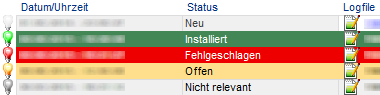
Next to the status of the migration packet, the logfile contains information on
-
previous runs
-
possible errors when running the migration packet
-
Caution
-
After carrying out the migration packets in the system, the server or the server service must be restarted and the migration results must be checked.
|
See also: Migration Process, Migration Packet Customizing |