
Information
-
The context menu is opened by right-clicking on the required record.
-
In modules with table views, hovering over a record lets you open the More Actions context menu via the


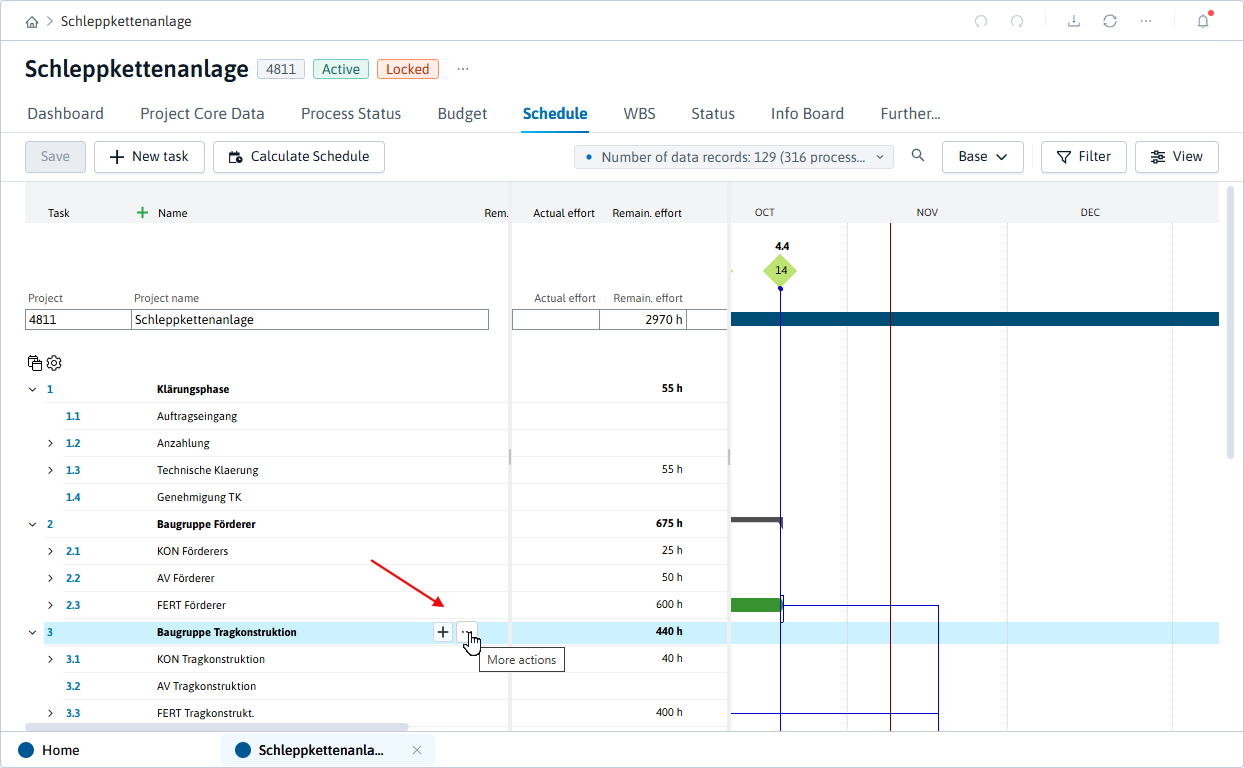
Details
-
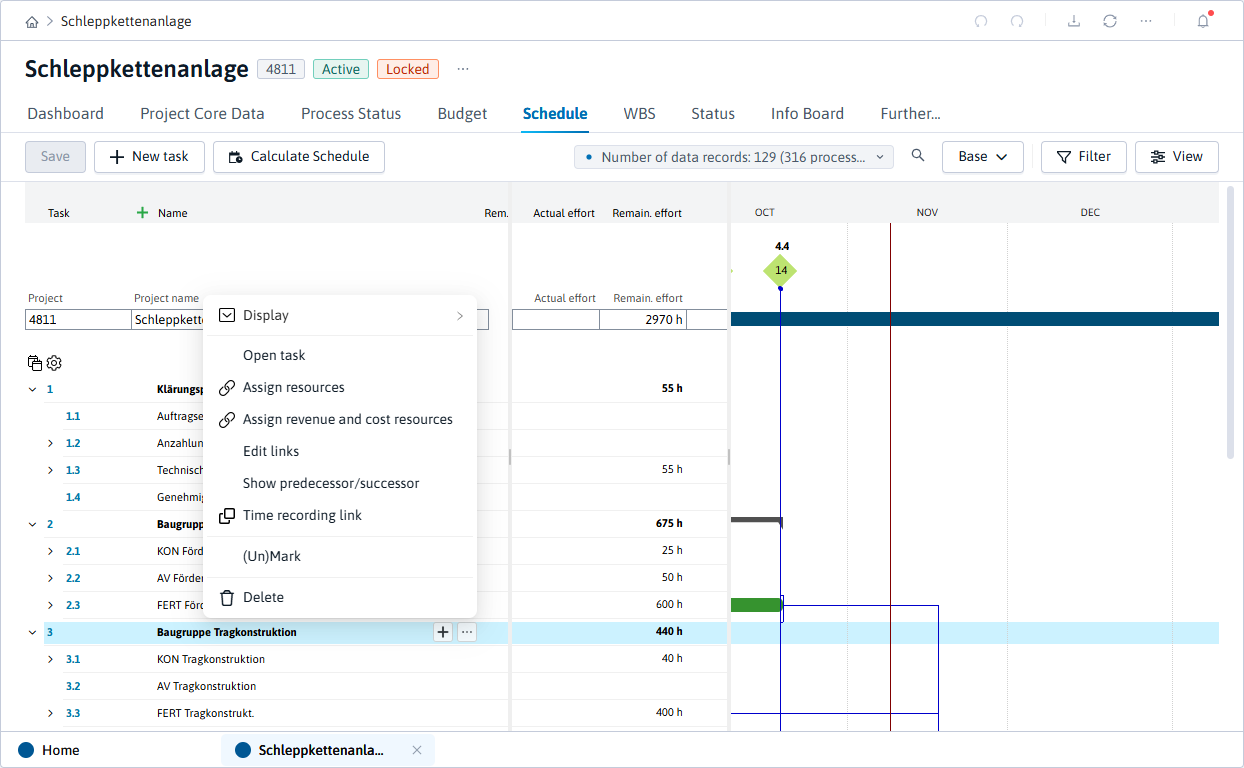
Depending on the record, the following commands will be available:
-
Insert: Insert records
-
Delete: Deletion of a record on which the context menu was opened or deletion of marked records.
-
Display: Show or hide files
-
Entries marked with + show hidden child data areas, and entries marked with − hide visible ones.
-
This command is only available in the context menu for records with child data areas.
-
-
Individual context menu commands: Start actions, e.g. opening modules or macros.
-
Edit text: Standard editing functions for the active data field, provided you clicked into the field before right-clicking:
-
Cut
-
Copy
-
Insert
-
Delete
-
Which of these functions are (de)activated depends on whether the fields in question are input or output fields.
-
-
Mark everything: Marks the field content
-
This command is only available in the context menu for input fields.
-
-
-
(Un)mark: Marking or unmarking of the record on which the context menu command was executed.
-
Note
-
The standard editing functions and (Un)mark are programmed functions. All other functions can be realized via customizing.